
Sarah spent three weekends painting her living room in a beautiful sage green she’d loved in the store. When she finally moved her furniture back in, her heart sank. The color that looked perfect on the sample card now made her beige sofa look dingy, clashed with her wood coffee table, and felt completely wrong in the afternoon light. She’d have to repaint. Again.
This scenario plays out in homes everywhere. We choose paint colors from tiny chips, imagine how furniture might look, and hope everything comes together beautifully. Sometimes it works. Often it doesn’t. The difference between a room that feels perfectly pulled together and one that feels slightly off usually comes down to planning, not luck.
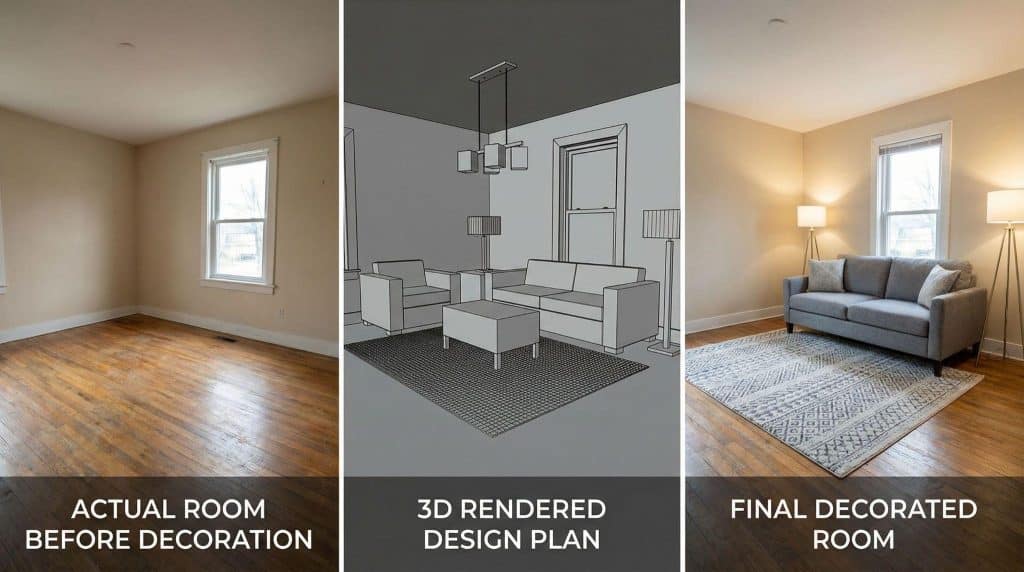
What if you could see your entire room design, complete with paint colors, furniture, and decor, before making a single purchase or moving a single piece of furniture? Modern 3D home design tools make this possible, transforming how we approach decorating projects and dramatically improving the results.
The Pinterest Problem: Why Inspiration Boards aren’t enough
Pinterest boards overflow with gorgeous room designs. We save farmhouse kitchens, cozy bedrooms, and stunning living rooms, imagining our spaces transformed. But there’s a critical gap between inspiration and implementation.
Those beautiful Pinterest rooms exist in specific dimensions with particular lighting conditions. Your room has different proportions, different windows, and different architectural features. A color that looks stunning in a sun-drenched California bungalow might feel completely different in your north-facing living room.
According to the American Society of Interior Designers, one of the most common homeowner complaints is that completed rooms don’t match their vision. The culprit isn’t a lack of creativity or poor taste. It’s the inability to visualize how all the elements work together in your actual space before committing to purchases and changes.
Understanding 3D Home Design Technology
Three-dimensional home design tools have undergone significant evolution over the past few years. What once required expensive software and professional expertise is now accessible to anyone planning a decorating project.
These platforms work by creating a digital replica of your space. You input room dimensions, add architectural features like windows and doors, then experiment with different design elements. The result is a realistic visualization showing exactly how your room will look with various paint colors, furniture arrangements, and decor choices.
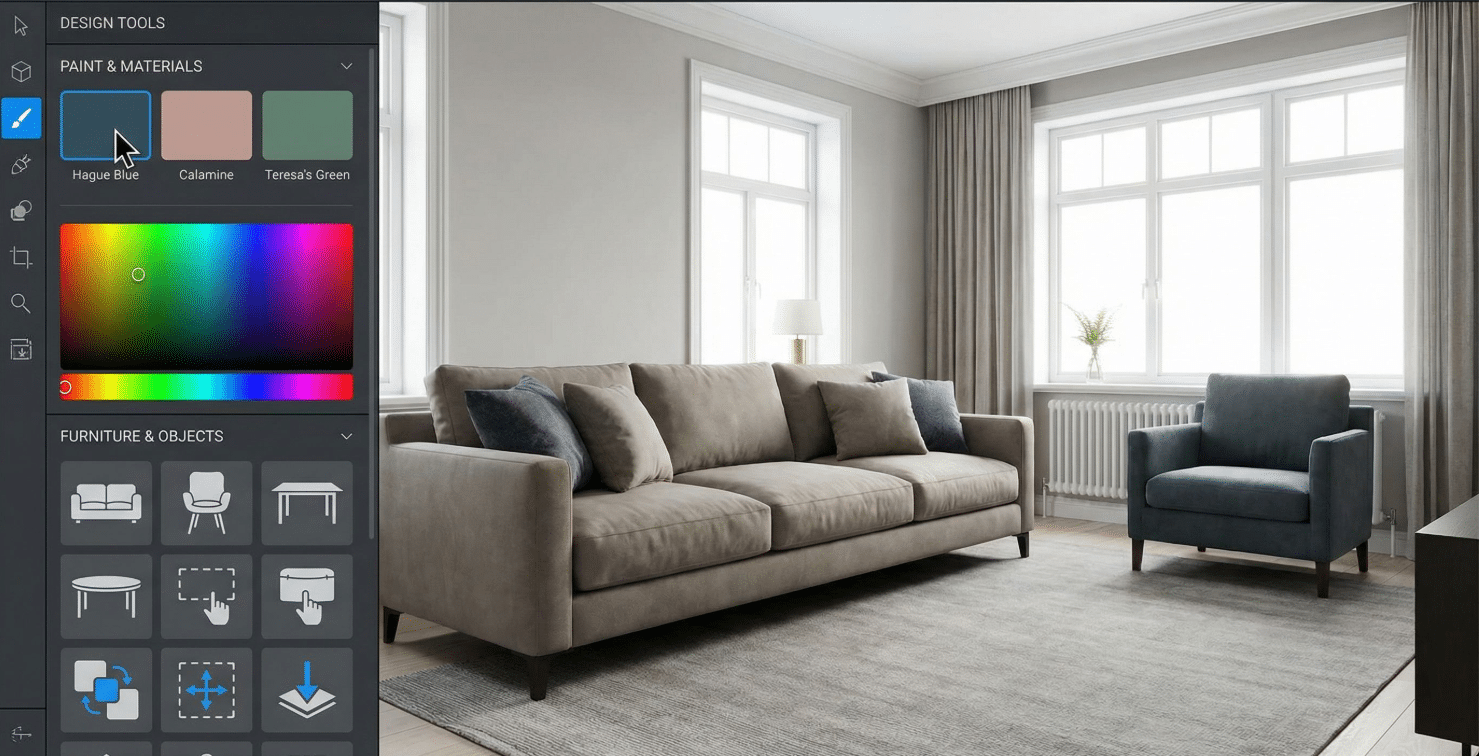
This Arcadium 3d home design tool represents this new generation of accessible design technology. Unlike traditional design software that requires hours of tutorials, Arcadium focuses on intuitive controls that let you start designing immediately. The platform specializes in creating photorealistic room visualizations that help you understand how design choices work together before you commit to them.
How Arcadium Transforms Your Planning Process
Starting with Accurate Measurements
The foundation of effective 3D design is accuracy. Arcadium guides you through measuring your room properly, including ceiling height, window placement, and door locations. These measurements might seem tedious, but they’re what make your digital visualization match your actual space.
Once you’ve input your dimensions, Arcadium creates the basic structure of your room. You can then add architectural details like built-in shelving, fireplaces, or alcoves that affect furniture placement and overall design flow.
Testing Paint Colors in Context
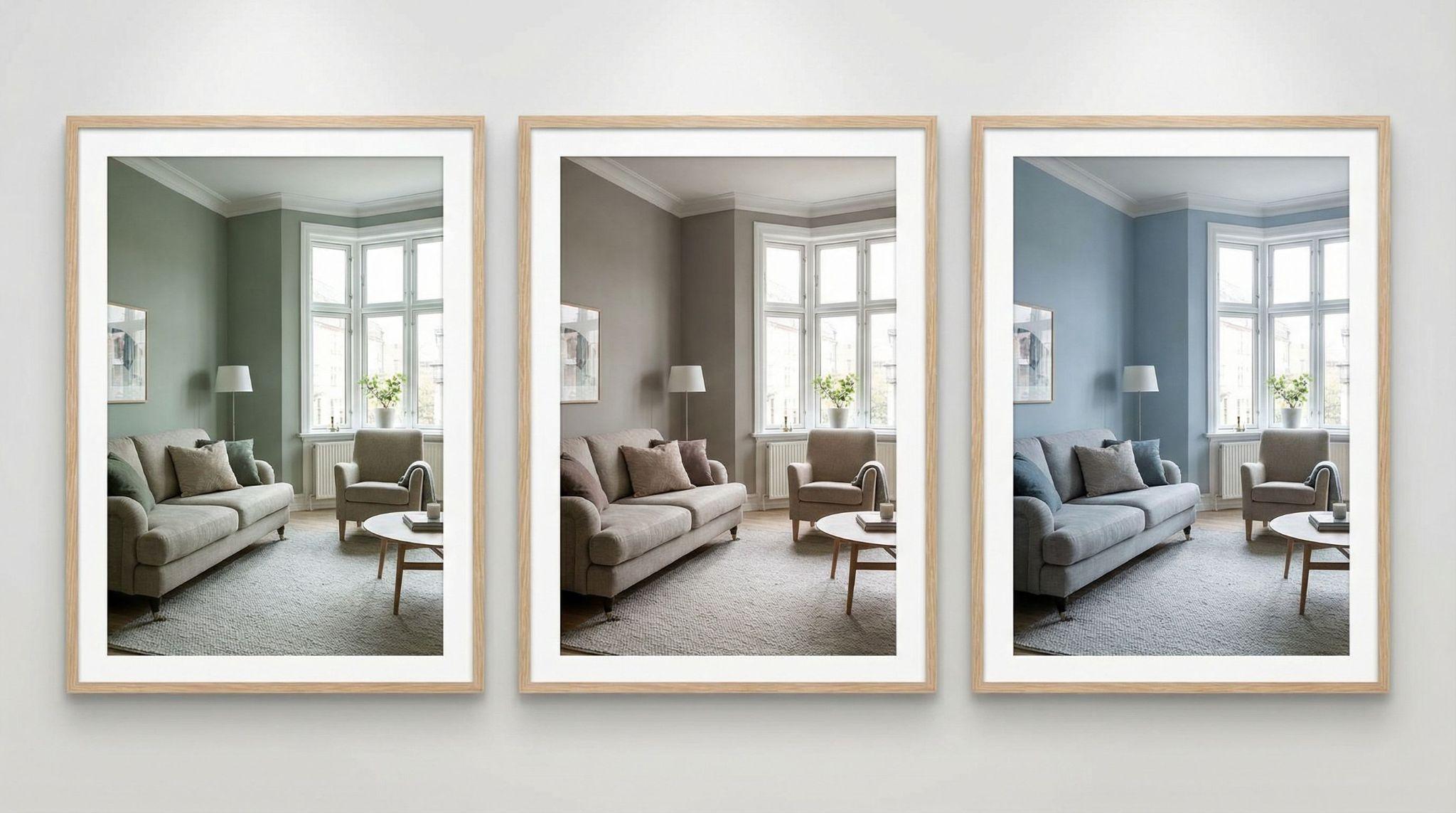
Here’s where 3D design tools shine brightest. Instead of holding paint chips against your wall and trying to imagine the full effect, you can apply colors to your entire digital room. Arcadium’s rendering shows how that sage green looks on all four walls, how it interacts with your trim color, and how it changes the room’s overall feel.
Even better, you can test multiple color schemes rapidly. Want to compare that sage green with a warm gray and a soft blue? Switch between options instantly and see which truly works best in your space. This is particularly valuable for choosing paint colors and finishes that create the mood you want while working with your existing furniture and decor.
Arranging Furniture Before Moving Anything
Moving heavy furniture around to test different layouts is exhausting and often damages floors and walls. Arcadium’s furniture library lets you place virtual sofas, tables, and chairs in your digital room, testing arrangements until you find the perfect layout.
The platform accounts for realistic proportions, so you can immediately see if that sectional you’ve been eyeing will overwhelm your living room or if your dining table leaves enough space for comfortable circulation. You can verify that nightstands fit beside your bed, that your coffee table sits at the right distance from your sofa, and that pathways remain clear and functional.
Visualizing Lighting and Its Effects
Lighting dramatically affects how colors and spaces feel, yet it’s one of the hardest elements to preview. Arcadium’s lighting simulation shows how natural light from your windows interacts with your chosen paint colors throughout the day. You can also add lamps, overhead fixtures, and accent lighting to see how artificial light affects your design choices.
This feature prevents common mistakes like choosing a warm white paint that turns yellow under your existing light fixtures, or a dark accent wall that makes the room feel cave-like because it doesn’t receive enough natural light.
Coordinating All Design Elements
The real power of Arcadium comes from seeing everything together. Paint colors, furniture, rugs, curtains, and decorative elements all interact to create your room’s overall aesthetic. Testing these combinations virtually prevents the disappointment of buying a beautiful rug that clashes with your newly painted walls, or hanging curtains that make your room feel shorter rather than taller.
You can upload photos of specific items you already own or plan to purchase, placing them in your virtual room to ensure they work with your overall design. This coordination creates the cohesive, professionally designed look that makes rooms feel intentionally styled rather than randomly decorated.
Real Benefits: Time, Money, and Confidence
Preventing Expensive Mistakes
Paint might seem relatively inexpensive until you buy it twice because the first color didn’t work. Quality interior paint runs $50 to $80 per gallon, and most rooms require two to three gallons. When you factor in primer, supplies, and your time, repainting a room costs $300 to $500 in materials alone.
Furniture mistakes cost even more. That $1,200 sofa that doesn’t fit your space properly becomes an expensive lesson. Using Arcadium to verify furniture scale and placement before purchasing prevents these costly errors. Even if you avoid just one furniture return, the time invested in 3D planning pays for itself many times over.
Saving Time on Implementation
Decorating projects stretch out when you make decisions one piece at a time, waiting to see how each choice works before making the next. With Arcadium, you plan the entire room upfront. You know which paint color to buy, which furniture pieces work, and where everything goes before you start.
This comprehensive planning means you can tackle the project efficiently. Paint the walls, knowing the color works. Order furniture confidently, it fits. Purchase decor items knowing they complete your design. Your decorating timeline shrinks from months of trial and error to weeks of focused implementation.
Building Design Confidence
The biggest benefit is confidence. When you can see your complete room design before starting, you move forward without second-guessing every decision. You’re not painting walls while secretly worrying the color might be wrong. You’re not arranging furniture, hoping it works. You know it works because you’ve already tested it.
This confidence transforms decorating from a stressful gamble into an exciting, creative process. You enjoy planning because you’re exploring possibilities risk-free. You enjoy implementation because you’re bringing a tested vision to life.
Getting Started with 3D Room Design
Starting your first 3D design project feels daunting if you’ve never used these tools before. Arcadium simplifies the learning curve with intuitive controls and helpful tutorials. Most users create their first room design within an hour, and the time investment shrinks dramatically once you understand the basics.
Begin with a single room rather than trying to design your entire home at once. Choose a space you’re actively planning to redecorate. Take careful measurements, photograph your current furniture and decor, and start building your digital room.
Experiment freely. That’s the beauty of digital design. Try the bold accent wall you’ve been nervous about. Test furniture arrangements you think might not work. Place that statement light fixture and see if it overwhelms the space. Every experiment teaches you something about your room and your design preferences, and none of them cost money or create real-world consequences.
Bringing Your Vision to Life
Once you’ve finalized your design in Arcadium, implementation becomes straightforward. You have a clear shopping list of exactly what you need. Paint colors, furniture dimensions, decor items, and their precise placement are all documented in your 3D design.
Take screenshots of your design from multiple angles. Use these as reference photos when shopping, painting, and decorating. They ensure every decision you make aligns with your tested vision. When questions arise during implementation, return to your 3D design for answers rather than guessing or making hasty decisions you might regret.
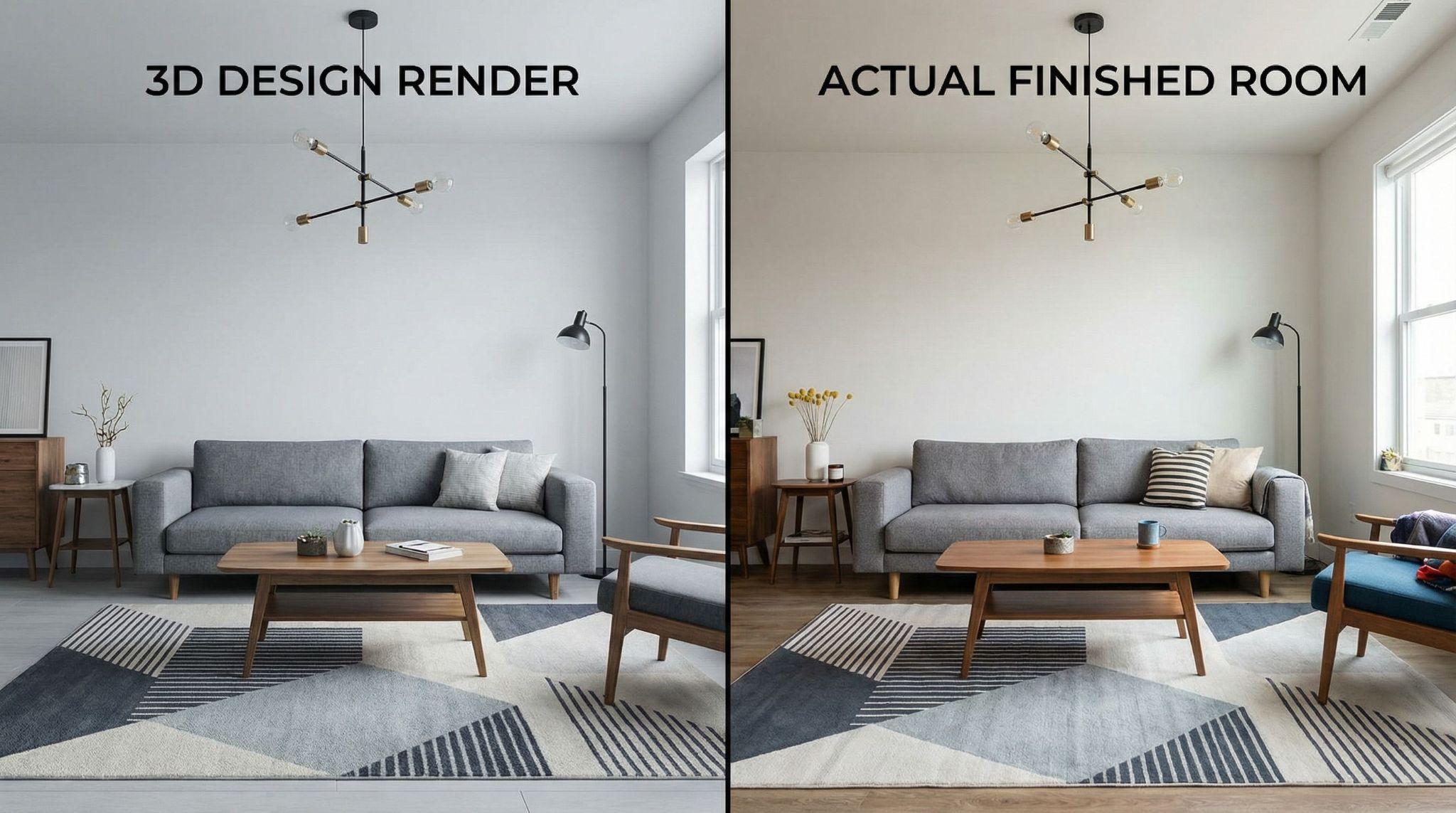
The satisfaction of seeing your actual room match your digital design is remarkable. You’ve eliminated the gap between imagination and reality. Your room looks exactly as you planned because you could see the complete picture before you started.
Decorating no longer needs to be a series of expensive experiments and hopeful guesses. 3D home design tools like Arcadium transform the process into something methodical, creative, and genuinely enjoyable. You explore possibilities freely, test combinations thoroughly, and implement confidently.
The next time you’re planning a room makeover, resist the urge to rush to the paint store or furniture shop. Invest a few hours creating a 3D design instead. Test your ideas virtually, refine your vision completely, and then execute your plan knowing it will work. Your future self will thank you when your room turns out exactly as you imagined, the first time.